I’ve had a music blog (kind of) for a while now - Wall-Notes. I say kind of because it’s a pretty effortless blog. And honestly it’s more like a link blog.
When I listen to music in Pandora I figured out that there’s an RSS feed for the songs and bands you bookmark (not thumb up). For a long time I was pulling that RSS feed through FriendFeed and then into Twitter. Then I decided to pull that feed into Tumblr, which is the platform Wall-Notes is on. I love how the RSS feed pulls the album cover and info through. It’s very cool.
Yes, I know there are lots of music bloggers on Tumblr and there’s a “better” way to do it. I just don’t want to go through the manual steps. I want to automate the work flow of it.
I then feed that into Twitter and Facebook. Well last night Pandora rolled out a new feature to make posting to Twitter and Facebook much easier. The Facebook feature is especially cool because it lets your friends listen to the song you posted right there on your wall (this feature isn’t working for me right now but it’s new).
Share Pandora with Your Friends on Facebook, Twitter, and Beyond
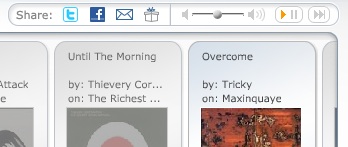
When I think about my connection with music, I think about three impulses: the impulse to discover, the impulse to buy, and the impulse to share. Here at Pandora we’ve had the discover and buy bits covered for some time, but it’s been frustrating to use Pandora to share the music you’re encountering with your friends. You could send an email or embed a widget on MySpace, but in the age of Twitter and Facebook our offering has been pretty spartan. That all changed tonight.
Now this is all well and good but it doesn’t help my blogging efforts. My process is a little clunky.
What I’d really love: A Blog This feature like many other services have with the functionality they have in Facebook that allows readers to listen to the song I post right on the blog. Or if Posterous could work their magic with links from Pandora like they do with Video links and import RSS feeds and add the player, I’d switch Wall-Notes to Posterous.
This really seems like a big opportunity for Pandora or someone else to enable thousands of music blogs all with links and affiliate links.
For now I’ll tinker with Bookmarks and RSS feeds, unless one of you has a better idea for me.
Similar Posts:
- How and Why I’m Using Tumblr: As Status Management Not Blog Replacement.
- Why I’m Betting on Pandora Even if They’re Not Profitable (yet): Persistence, Perseverance, Pivot, Personalization [10 Links]
- Google Reader Notes helps FriendFeed hurts del.icio.us and Twitter
# of Comments 7
# of Comments 0
# of Comments 5